
One booking record, whichever way the sale comes in.
Your website widget, the front-desk register, phone bookings, and agent referrals all write to the same availability and the same order — so a sale is never something you re-enter later.
- 0% commission on direct bookings
- Front-desk POS and online widget on one system
- Order-safe changes with credit notes
See it on your operation
A short walkthrough of how online bookings & pos works in RidgeHQ and connects to the rest of the operational day.
Book a DemoTakes about two minutes to request.
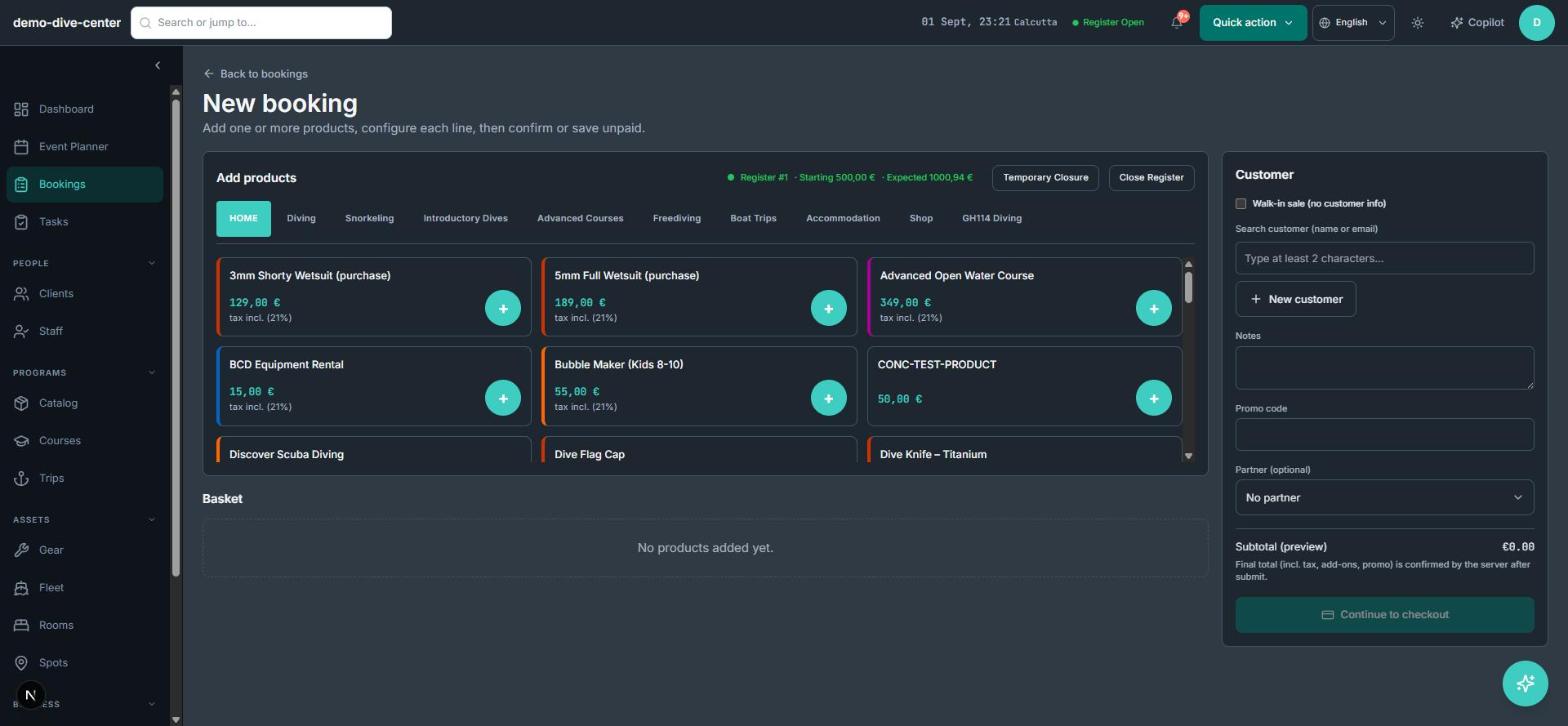
Take bookings on your own site, on your terms
A public booking widget on your website sells sessions, courses, rentals, and packages against live capacity, taking a deposit or full payment through your own gateway. It is your checkout, not a marketplace listing.
- Live availability drawn from the same calendar your team works from
- Deposit or full payment, with the balance scheduled and tracked against the order
- Waiver, medical, and your own custom questions collected per participant at checkout
- Promotional codes that apply to the actual charged total, not just the displayed price
- 0% platform commission on direct bookings — you pay only your gateway fee
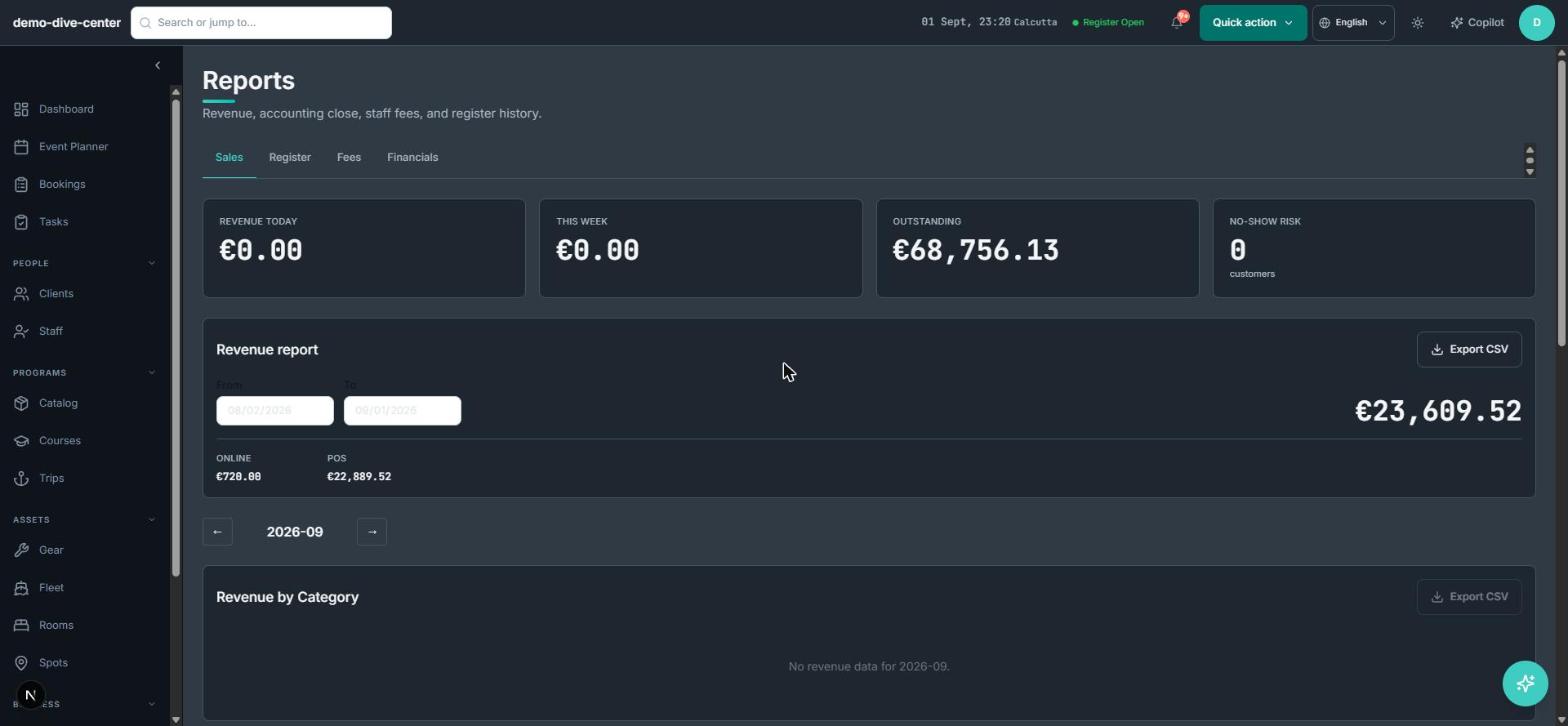
A front desk that shares the same context
The point-of-sale handles walk-ins, add-ons, gear hire, and retail in one basket, against the same availability the website uses. What sells at the counter and what sells online can never quietly overbook each other.
- Basket orders for walk-in sessions, rentals, and retail on one ticket
- Register open / close and daily cash reconciliation
- Booking tickets and receipts issued on the spot
- Agent and partner bookings recorded with their commission for later settlement
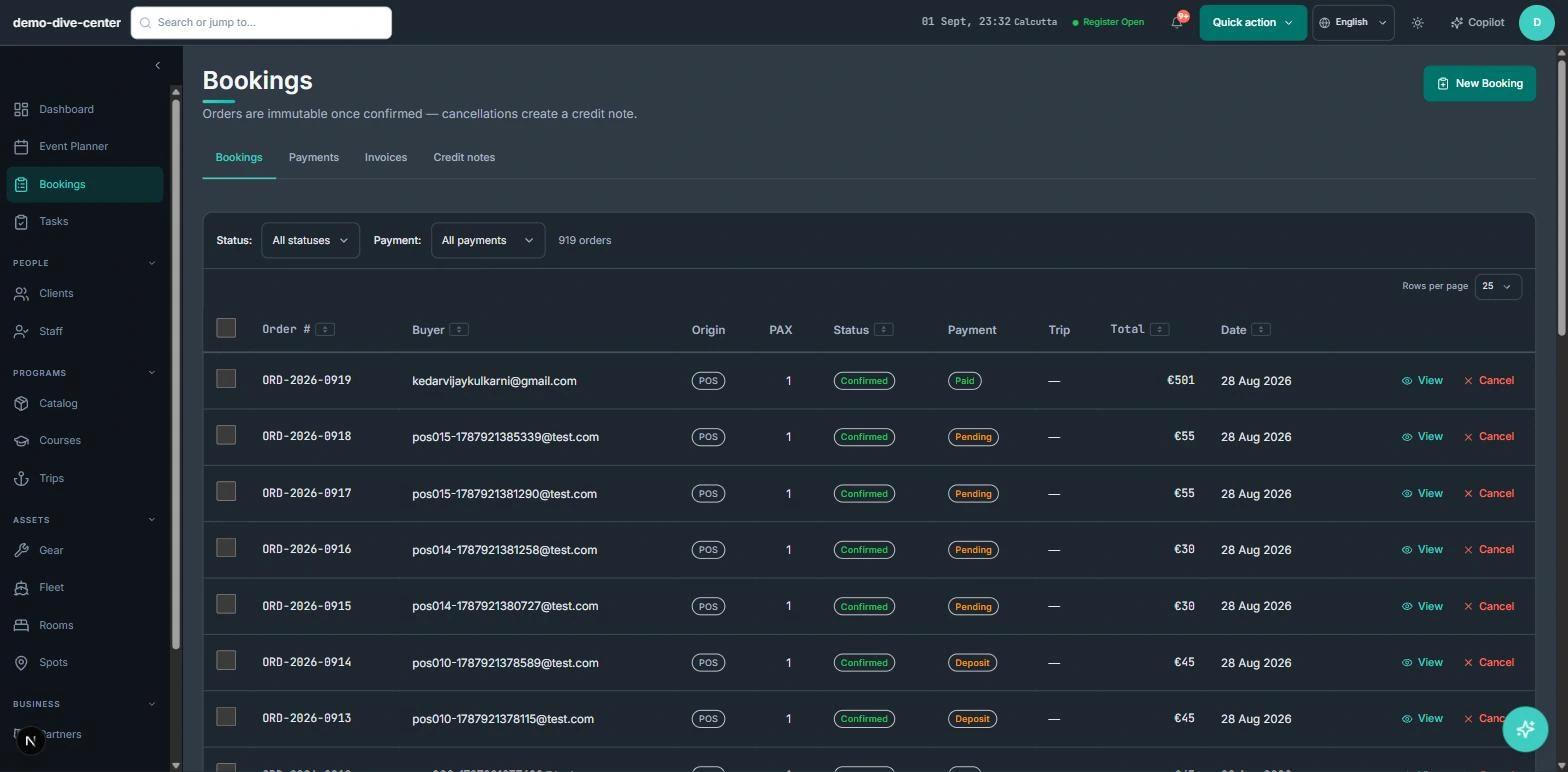
Changes that keep the books straight
Bookings change constantly — reschedules, cancellations, added participants. RidgeHQ treats a paid order as immutable: a change produces a credit note rather than silently rewriting a settled order, so your revenue records always reconcile.
- Edits to a paid order create a credit note instead of overwriting it
- Cancellations handled with a clear money trail
- Every order carries its origin — direct, agent, or walk-in — for reporting
- Per-participant waiver requirements attached to the booking from the moment it is made
How it connects to the rest of the system
Nothing in RidgeHQ works in isolation. Online Bookings & POS feeds — and is fed by — every other part of the operational day.
A confirmed booking lands on the day plan with its participants, so the schedule is built from real demand, not re-keyed.
Rentals and room bookings reserve a specific unit for their dates, so the desk and the website read the same inventory.
Each booking is attached to a customer record, carrying history, sizing, and waiver status.
Deposits, balances, and credit notes flow straight into the daily close and revenue-by-origin reporting.
What it changes day to day
One source of truth for sales
Online and front-desk bookings share one calendar and one order model — nothing is entered twice.
You keep your direct revenue
0% commission on direct bookings means your own marketing is not taxed.
Books that reconcile
Credit-note-on-change keeps paid orders immutable, so revenue records always add up.
Faster front desk
Walk-ins, rentals, and retail go through one basket with the register close handled for you.
One system for the operational day
Common Questions
Businesses that run on this
See Online Bookings & POS in RidgeHQ
Book a demo and we'll walk through your real operational workflows — bookings, schedule, resources, and the day close.
Book a demo — Online Bookings & POS
Tell us about your operation and we'll tailor the walkthrough.