
Rental that stays in sync, from stock to check-in.
Track rental gear by unit and size, keep availability accurate across your website and the front desk, hold back anything in for repair, and close the day with totals you trust — whether you rent kayaks, bikes, boards, or boats.
- Every unit tracked as its own asset
- Size and service state drive availability
- 0% commission on direct rental bookings
See it on your operation
A short walkthrough of how Rental App works in RidgeHQ and connects to the rest of the operational day.
Book a DemoTakes about two minutes to request.
Inventory that reflects the real fleet
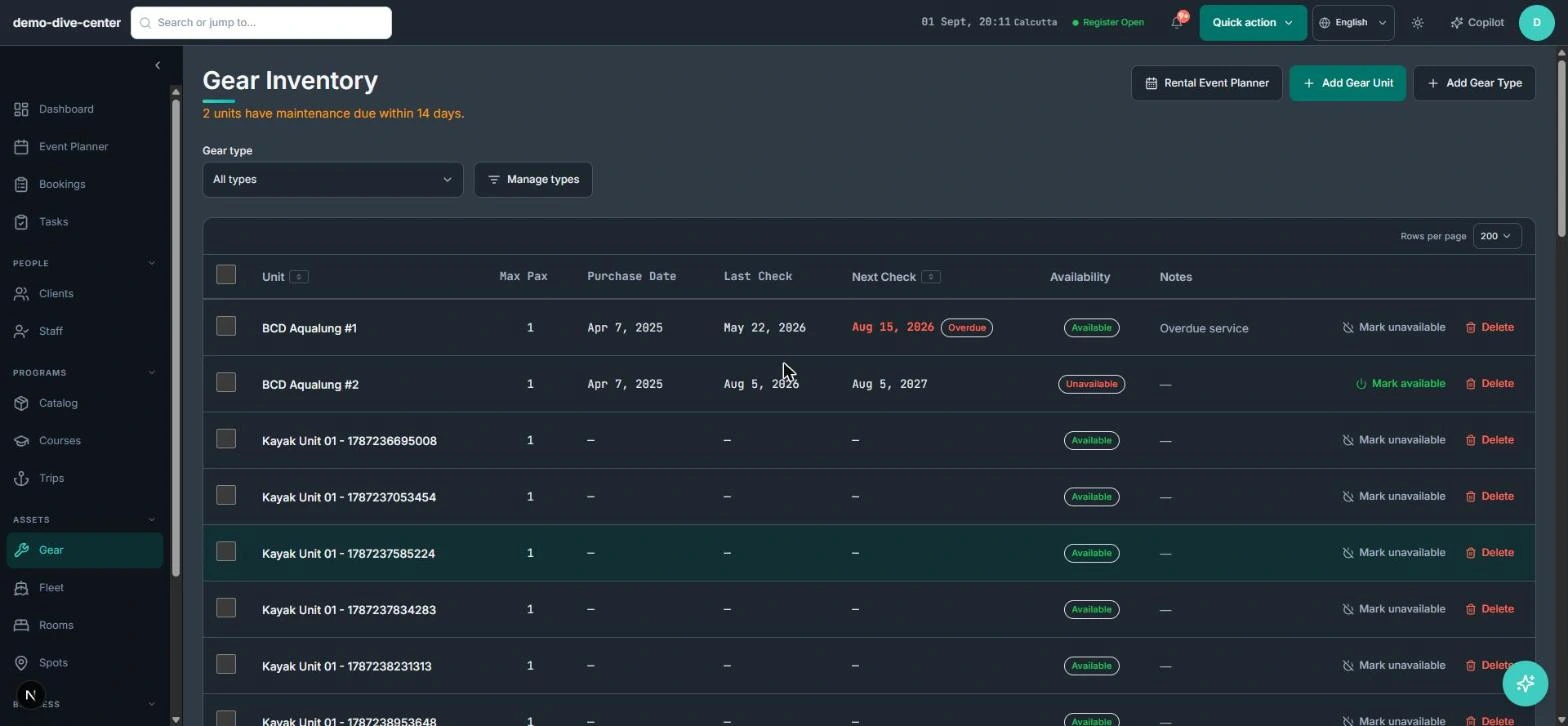
Build your rental catalogue once — types, variants, sizes, and individual units — then let availability follow the actual state of each item instead of a generic count.
- Gear types and individual units carrying size and variant (S / M / L / XL, model, length)
- Condition and status per unit: rentable, in for repair, out of service
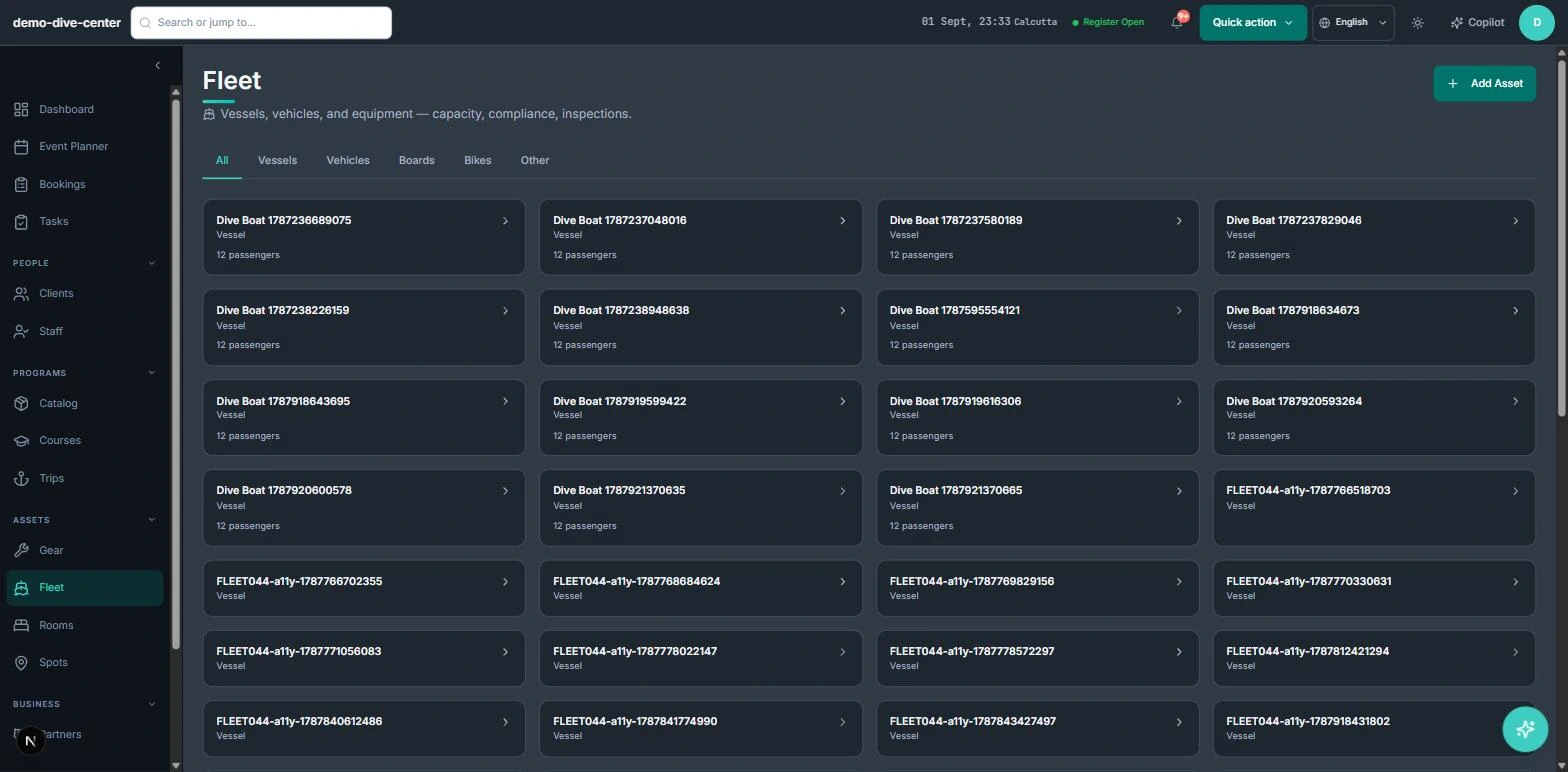
- Related assets like boats, trailers, or vans managed alongside the gear
- Week-based rental and unavailability blocks held against a specific unit
One live availability across every channel
A single inventory powers your booking widget, the front desk, and partner sales — so a board committed to a three-day hire cannot be sold again for the weekend.
- Website checkout sells rentals against the same unit-level availability as the desk
- Walk-in and phone hire land in the same schedule
- Timed rentals reserve a specific unit for a date range and start and end times
- Partner and reseller bookings drawn from the same source of truth
Faster counter, cleaner close
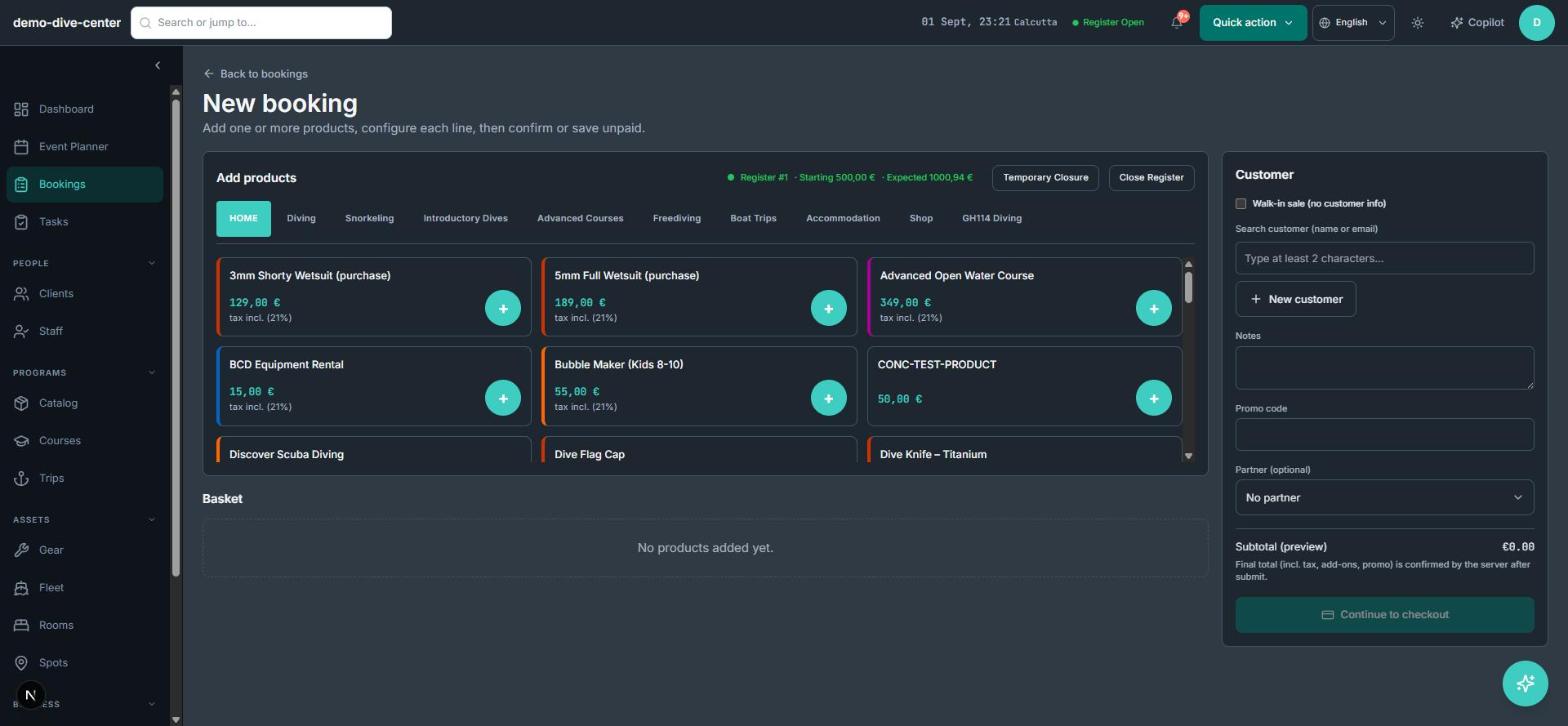
Keep the hand-over quick and finish the day with numbers that reconcile.
- Rental checkout with deposit or full payment and the reserved unit attached to the order
- Seasonal, date-range pricing applied to rental products
- Add-ons such as PFDs, helmets, or wetsuits attached to a rental product as optional or mandatory extras
- Maintenance register with overdue flags, exportable to CSV
- Register open and close with daily cash reconciliation
How it connects to the rest of the system
Nothing in RidgeHQ works in isolation. Rental App feeds — and is fed by — every other part of the operational day.
Rental blocks share the day plan with sessions, so a guided tour and a multi-day hire never claim the same unit.
Rentals sell through the same widget and register as sessions and retail, on one order.
Stored sizing and rental history sit on the customer record for a faster hand-over next time.
Deposits, balances, and damage charges flow into the daily close.
What it changes day to day
No mystery stock
Availability reflects the real state of each unit, not a number in a spreadsheet.
Flagged gear stays off the floor
An item in for repair is removed from availability until it is checked back in.
Rentals and sessions do not collide
One inventory across hire, walk-ins, and guided activities.
Service status that controls availability
Units out for maintenance leave availability until they are returned, so damaged gear is never handed out.
One system for the operational day
Common Questions
See Rental App in RidgeHQ
Book a demo and we'll walk through your real operational workflows — bookings, schedule, resources, and the day close.
Book a demo — Rental App
Tell us about your operation and we'll tailor the conversation.